APR Nameplate
Meeting Room Booking & Occupancy Experience


Overview
APR Nameplate is a tablet-based meeting room booking application installed outside conference and Audio Privacy Rooms


The Problem
Employees frequently experienced:
Uncertainty about whether a room was actually in use
“Ghost meetings” (reserved but unused rooms)
Interruptions due to unclear occupancy
No quick way to check in or release a room
There was a need for a high-visibility, self-service interface that minimized friction and improved space utilization.
Research Insights
From usability observation and workplace behavior patterns:
Users decide whether to enter a room in 3–5 seconds
Color cues are processed faster than text
Users want transparency: Who booked the room? Until when?
Auto check-out reduces unused reservations
It provides:
Real-time room status (Available / Occupied)
Walk-up check-in and check-out
QR-based mobile booking
Visibility into who reserved the room
Auto check-out timing
I designed the complete UI mockups for both Available and Occupied states, focusing on clarity, speed, and minimal interaction friction.
1.DESIGN SOLUTION
Green header for avilable
Minimal information
Primary CTA: Check In Now
Large QR code for remote booking
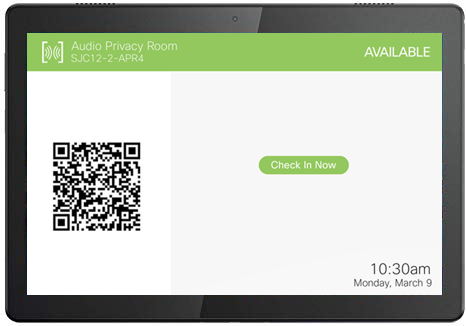
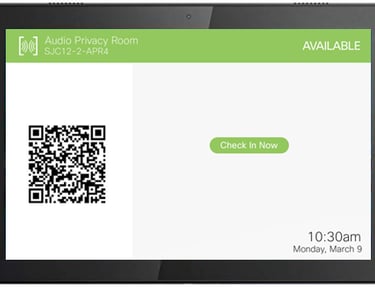
Available State
Occupied State
Yellow header for Occupied
Displays:
Person’s name
Role / Department
Presence status (e.g., WebEx meeting)
Check-in time
Auto check-out time
CTA shifts to: Check Out Now
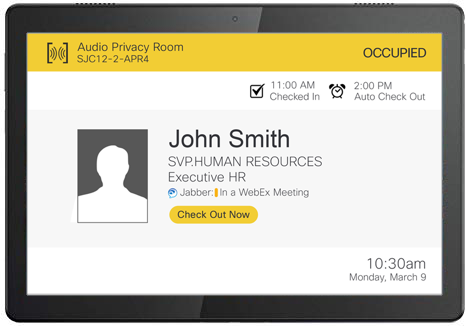
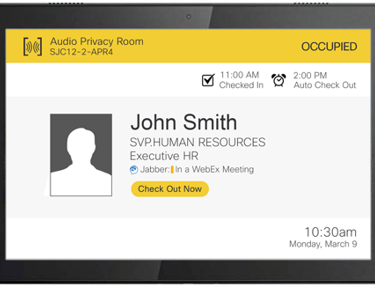
2.USER SCENARIOS
Approaches room
Sees "OCCUPIED" in yellow
Reads occupant name and time
Determines availability window
Returns later or books via QR
Scenario 1: Walk-Up User (Room Occupied)
Scenario 2: Meeting Ends Early
Host taps “Check Out Now”
Room status changes to Available
Next user can immediately check in
Result: Improved room turnover.
Scenario 3: No-Show
User does not check in
System auto releases at scheduled time
Room becomes available
Result: Reduced ghost meetings.
3.IMPACT AND FINAl outcome
Impact
Final Outcome
Feel free to include your background, experiences, and any unique aspects that set your business apart. Highlight your mission, values, and the benefits your customers can expect.
Improved workspace efficiency
Reduced booking conflicts
Increased room utilization
Faster walk-up booking
Better transparency across teams
Improved workspace efficiency